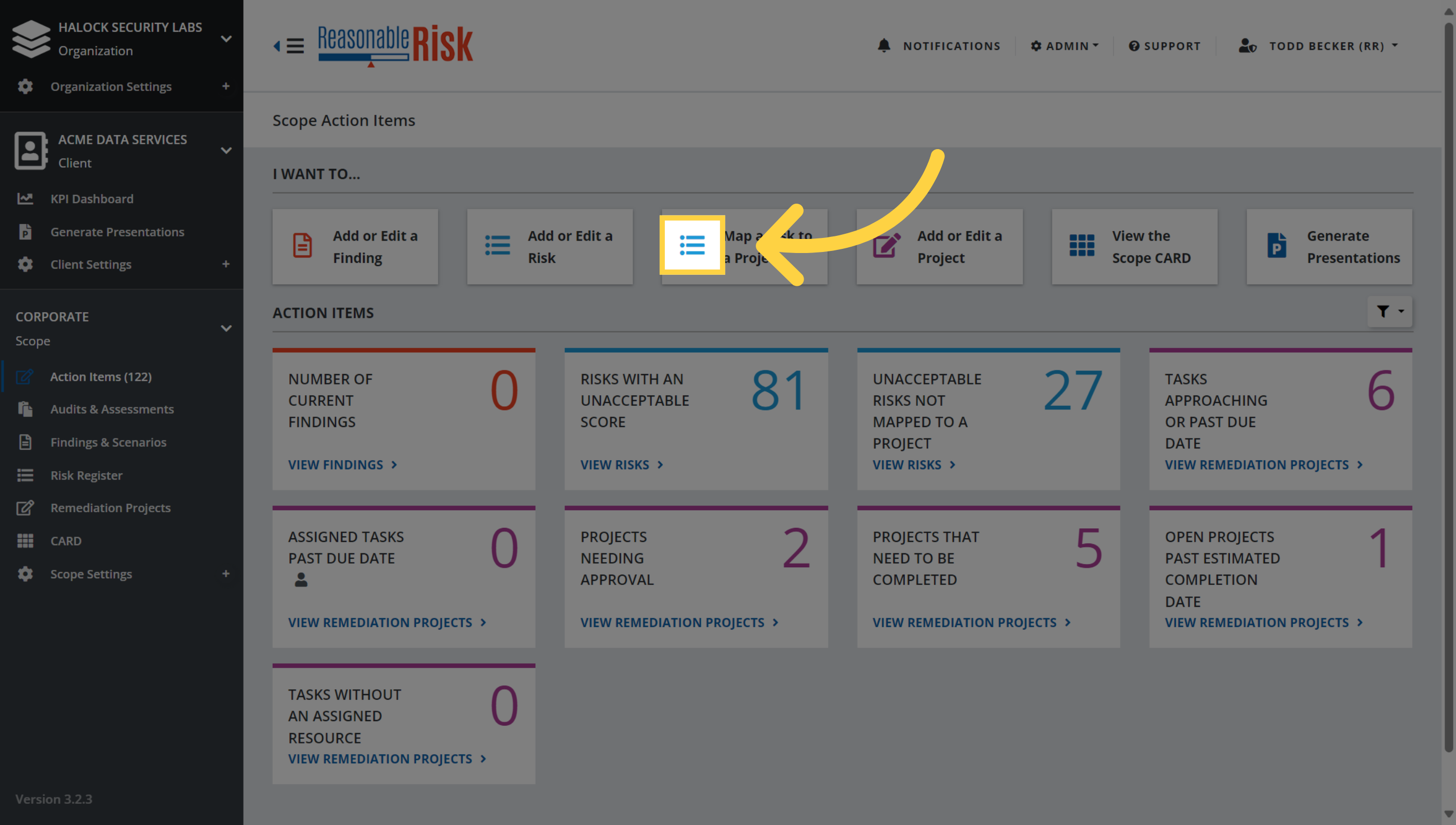
1. Map a Risk to a Project from the Action Items page.
On the Action Items page, select Map a Risk to a Project.
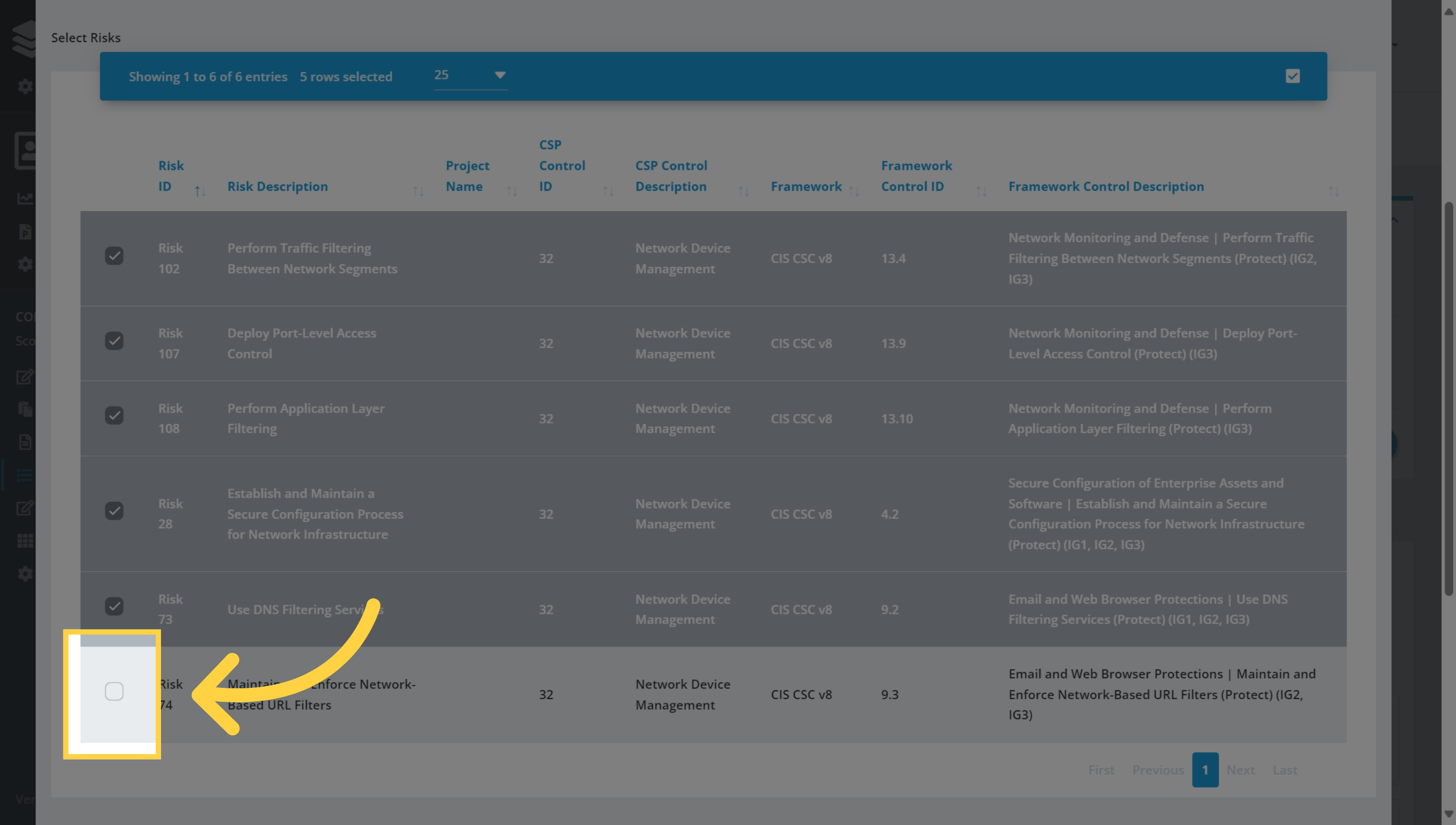
2. Select Risks
In the pop up window risk list, search for and select the risk items that you would like to add to a Remediation Project.
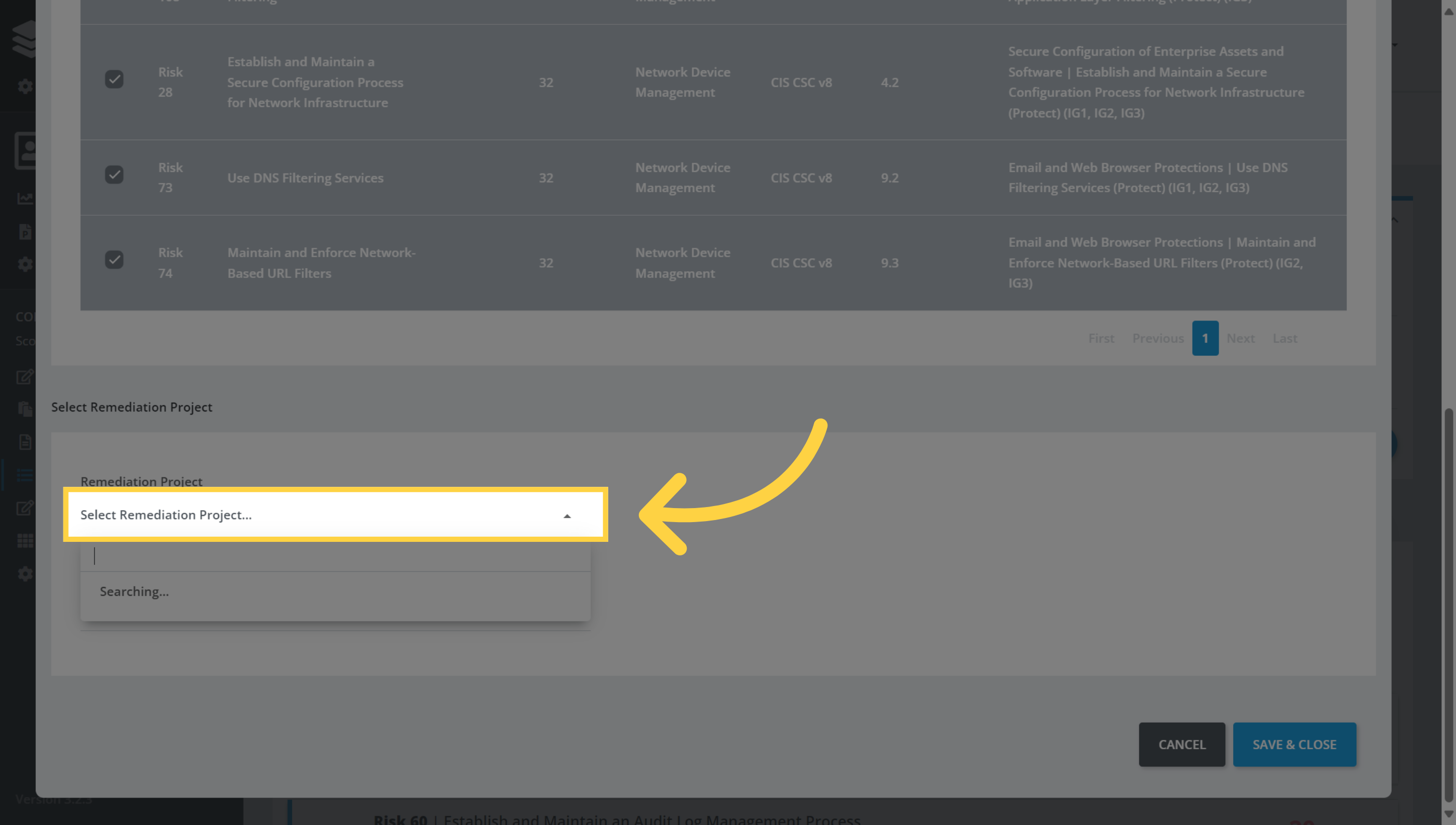
3. Select Remediation Project
Click on the drop down menu to select from a list of current projects to map the risks to. You could also create a new project here if necessary.
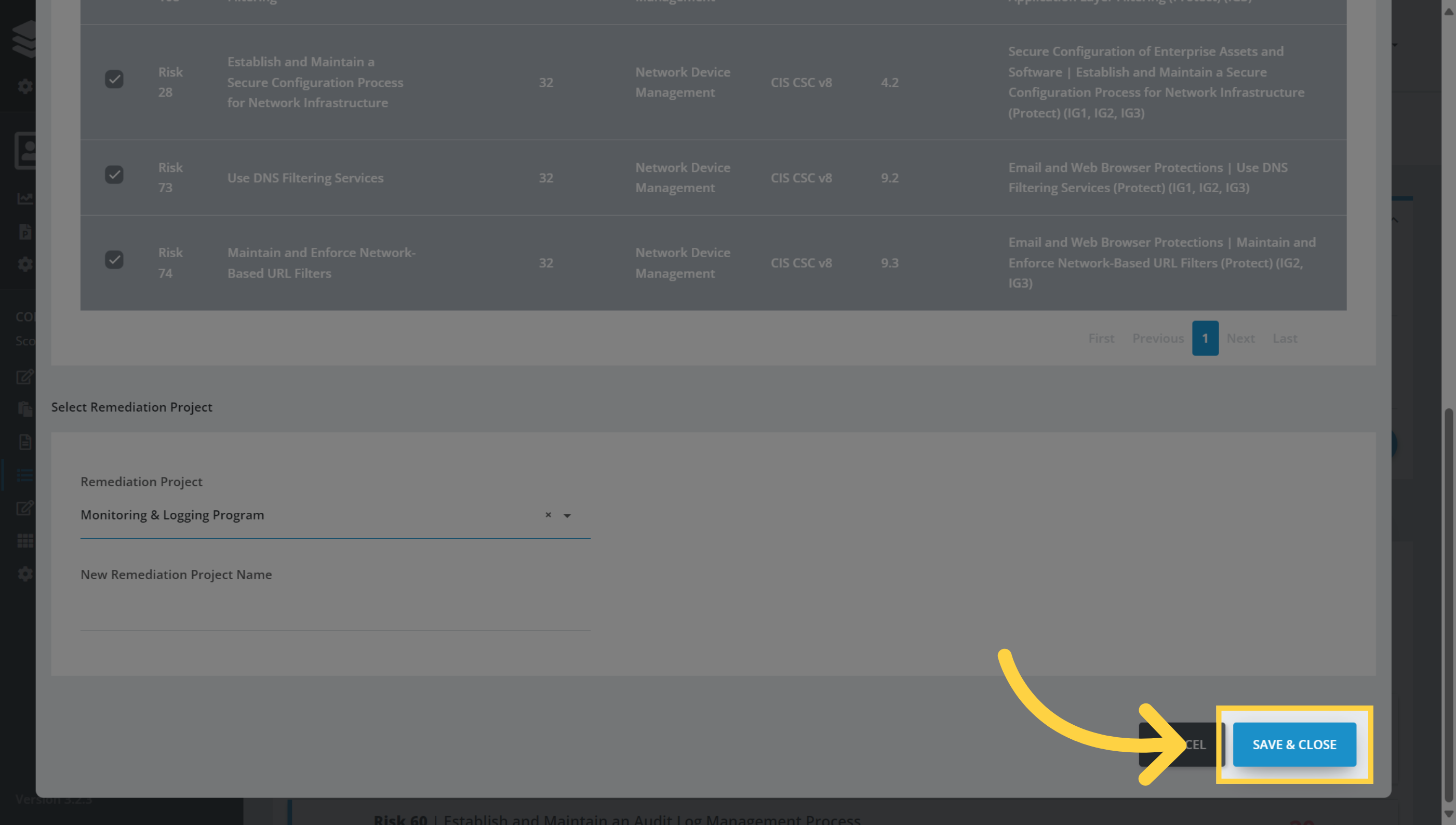
4. Click "Save & Close"
Once you have selected the Remediation Project, click Save & Close to complete the process and close the window..
Comments
0 comments
Please sign in to leave a comment.