This training module provides essential guidance on navigating the Action Items feature within the Reasonable Risk platform. We will explore its functionalities and best practices to enhance your risk management workflow.
1. Focus Area: Action Items
Welcome to the Reasonable Risk training module focused on Action Items. This session will guide you through the core functionalities and strategic importance of managing action items effectively within the platform. We'll cover how these items drive user behavior and contribute to a proactive risk management approach.
2. Action Items: Objectives
Our primary objective for this module is to ensure you can confidently review and understand the action item panel tiles. These tiles are crucial for quickly identifying and addressing critical tasks, helping you maintain an efficient and responsive risk management process. By the end of this session, you'll have a clear grasp of their purpose and how to utilize them effectively.
3. Screen Narrative: Action Items Overview
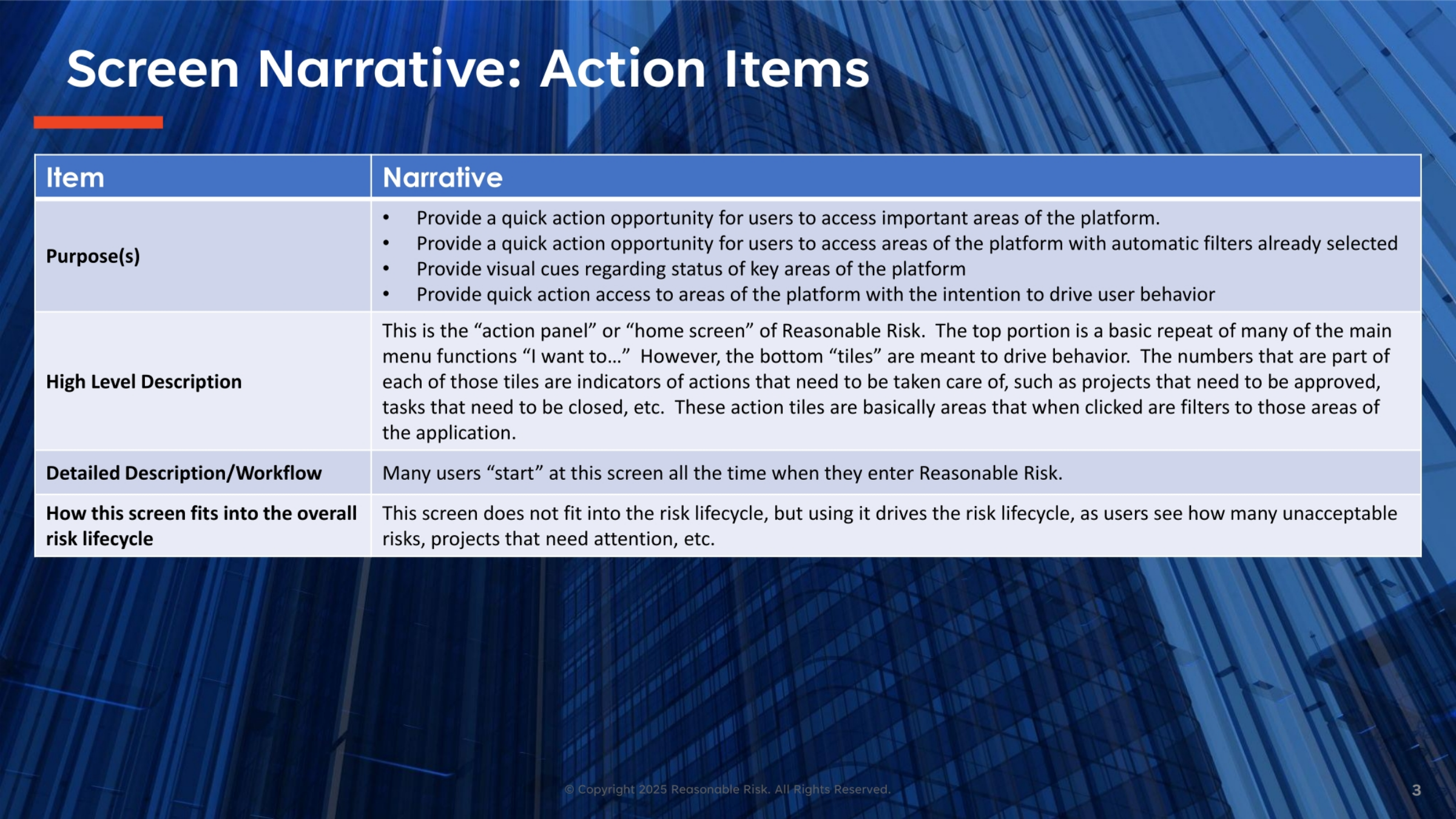
The Action Items screen, often referred to as the action panel or home screen, serves as a central hub for quick access to important platform areas. Its primary purpose is to provide immediate action opportunities, often with pre-selected filters, and offer visual cues on the status of key areas. The numerical indicators on the bottom tiles are designed to drive user behavior, highlighting projects needing approval or tasks requiring closure, effectively filtering the application to relevant sections. While not directly part of the risk lifecycle, this screen significantly drives it by making unacceptable risks and pending projects visible, encouraging timely attention.
4. Screen Visual: Action Items Dashboard
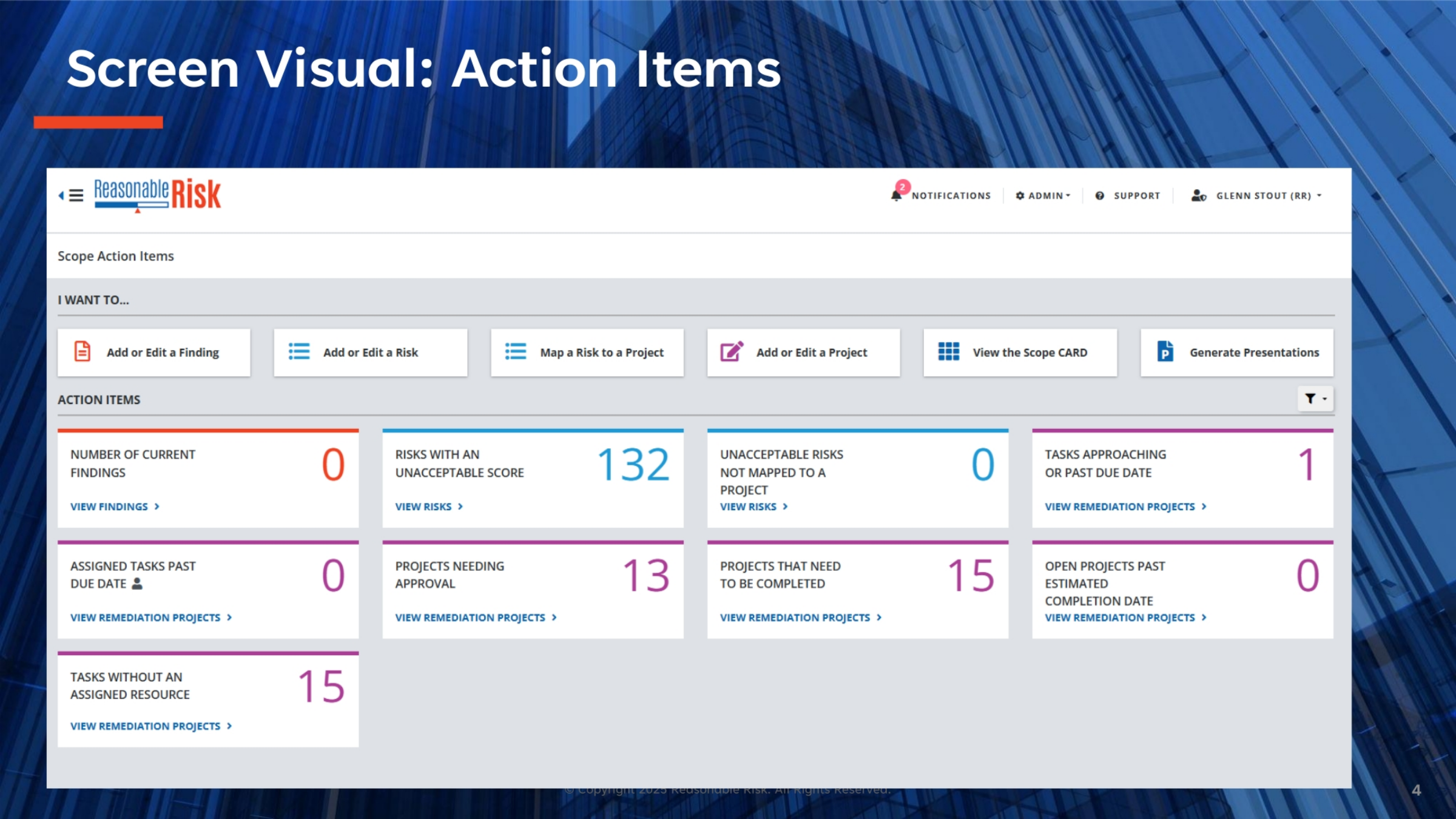
This visual provides a comprehensive look at the Action Items screen within Reasonable Risk. You'll notice the 'I Want To...' section at the top, offering quick links to add or edit findings, risks, or projects, and to view the Scope CARD or generate presentations. Below this, the 'Action Items' section displays various tiles, each with a numerical indicator. These numbers represent critical areas requiring attention, such as current findings, risks with unacceptable scores, projects needing approval, or tasks approaching their due date. This dashboard offers an at-a-glance overview, enabling users to prioritize and act swiftly on pending items.
5. Screen Review: 'I Want To...' and Action Item Filters
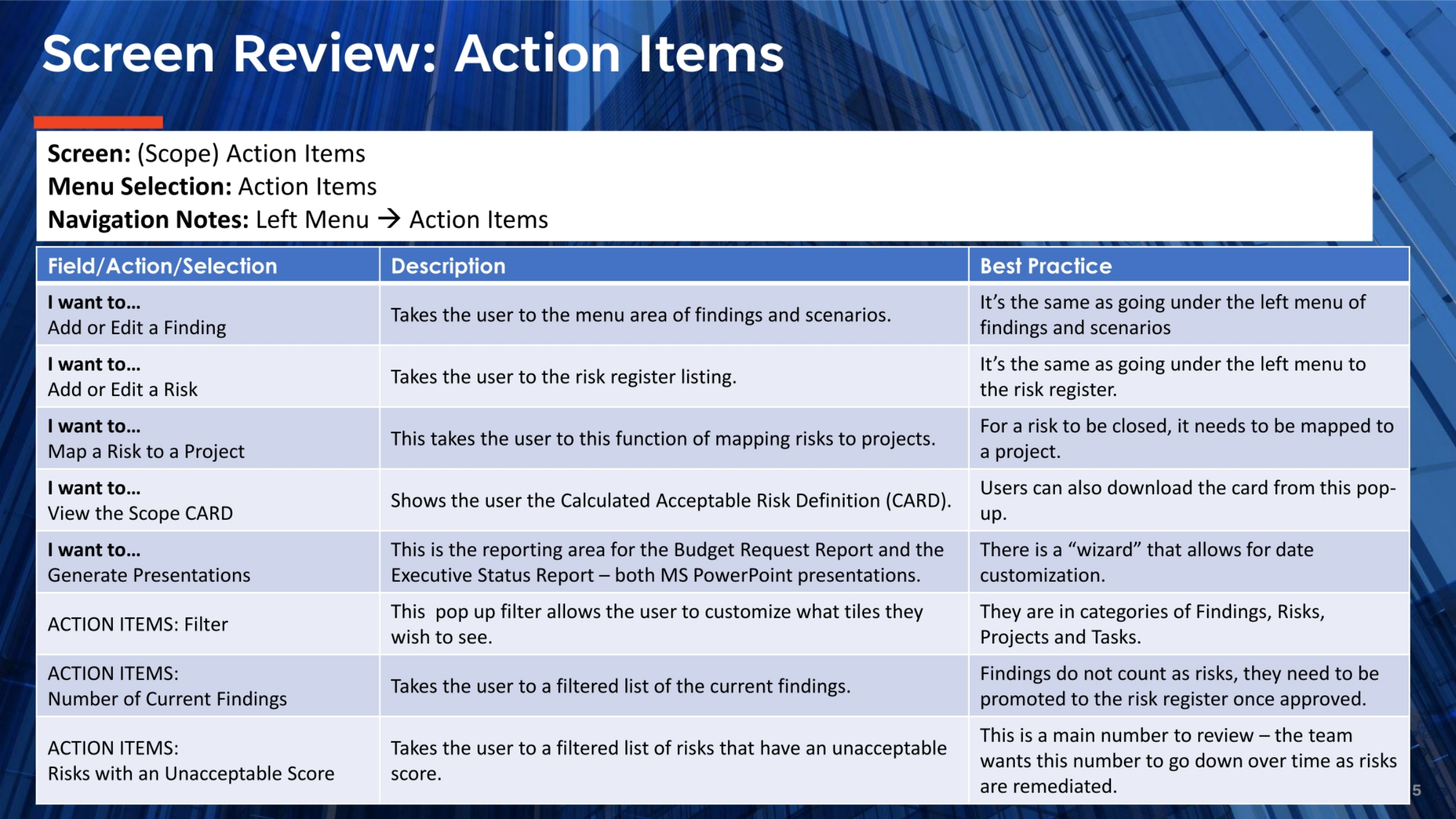
Let's review the specific functionalities available on the Action Items screen. The 'I Want To...' section provides direct links to key functions, such as adding or editing findings and risks, mapping risks to projects, viewing the Calculated Acceptable Risk Definition, and generating presentations. These options mirror those found in the left-hand menu, ensuring consistent access. Additionally, the 'ACTION ITEMS: Filter' allows users to customize which tiles are displayed, tailoring the view to their specific needs. It's important to remember that findings must be approved and promoted to the risk register before they count as risks, and the goal is to reduce the number of unacceptable risks over time through remediation.
6. Screen Review: Action Item Tiles and Best Practices
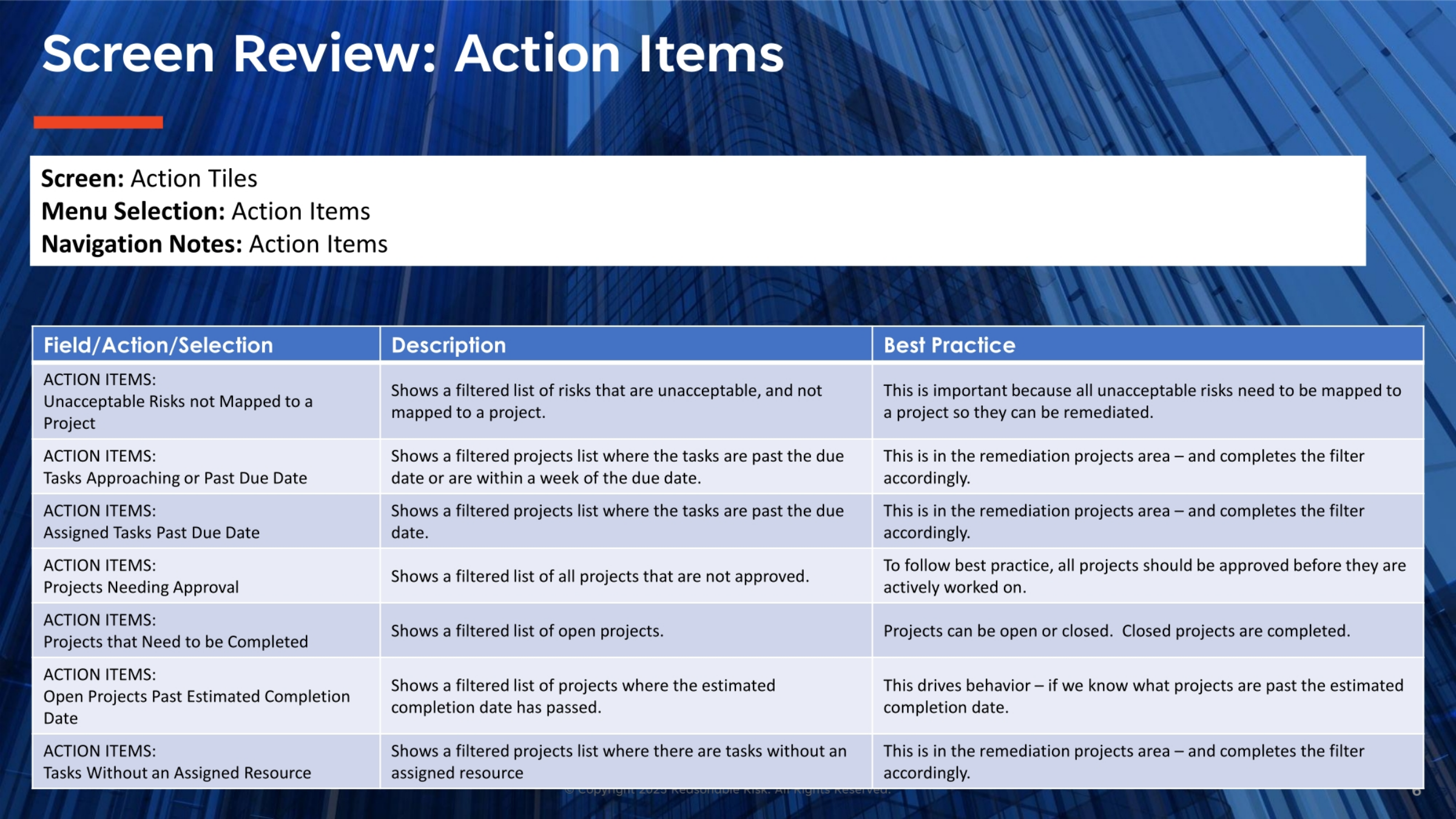
Let's review the remaining action item tiles and their best practices. 'Unacceptable Risks not Mapped to a Project' highlights critical items needing linkage to a project for remediation. 'Tasks Approaching or Past Due Date' and 'Assigned Tasks Past Due Date' help users track deadlines within remediation projects. For 'Projects Needing Approval,' ensure all projects are approved before active work. 'Projects that Need to be Completed' and 'Open Projects Past Estimated Completion Date' provide insights into project status and drive timely completion. Lastly, 'Tasks Without an Assigned Resource' identifies tasks needing immediate allocation, ensuring no critical work is overlooked.
In summary, the Action Items screen in Reasonable Risk is a powerful tool for managing and prioritizing tasks. By understanding its various tiles and best practices, users can efficiently track findings, risks, and projects, ensuring timely remediation and maintaining a proactive approach to risk management.
Comments
0 comments
Please sign in to leave a comment.